


ChillChat - Live Chat & Game
4.113.00 Reviews
App Specs
- Version
- 1.1.0
- Updated On
- License
- Free
- Downloads
- 5,000,000+
- Developer
- Mangostar Team
- Categories
- Communication
- Platform
- Android
Screenshots


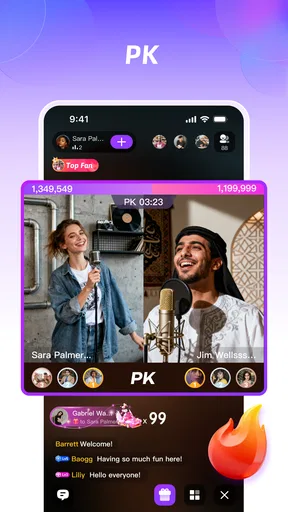
 Analysis by AppCompare
I came to ChillChat expecting a lightweight way to bring a group together, and that is still the clearest way to understand it. It sits in the communication category, but it is not trying to replace a serious work messenger or a private one-to-one chat service. Its focus is social: start a conversation, gather people, and turn the chat into a shared activity through games. In my experience, that combination makes the app most useful when a normal group conversation has gone quiet and someone needs an easy reason for everyone to participate.
The app is free to install, although it includes optional purchases ranging from $0.99 to $149.99 per item. It is marked for mature users aged 17 and over, so I would not treat it as a casual choice for younger family groups. Mangostar Team is the developer, and the app has built a sizeable audience, with over five million installs and an average rating of 4.1 from around twenty-seven thousand ratings. Those figures suggest that the idea has found a real audience, while also leaving room for the kind of mixed experience I had: enjoyable when the group is ready to play, less convincing when I only want a clean, focused chat.
From a quiet group chat to an actual shared activity
I find the shift from chat to a shared activity is where the app’s idea becomes most useful: the conversation can help people agree on a plan before anyone starts playing. I’d treat that transition as a small hosting task, not something to leave to chance. The next section looks at how choosing the right group and setting expectations can make that handoff feel natural.
Starting with the right kind of group
The first decision is not technical; it is social. ChillChat works best when I already know who I want to invite and what kind of mood the group has. I would use it for friends planning a relaxed evening, classmates looking for a break, or a family group that wants something more interactive than exchanging messages. I would not begin with it for a formal project, an important announcement, or a conversation that needs careful organization over a long period.
That distinction matters because the app combines two normally separate jobs. A conventional messenger is built around reliable conversation, while a dedicated mobile game is built around a particular play loop. Here, the chat is the meeting point and the games are the reason to stay. That can make the experience feel more spontaneous, but it also means the app depends heavily on participation. If only one person is interested, much of its appeal disappears.
I also think the mature age label should shape the invitation list from the beginning. It is not enough to assume that a general group of acquaintances will be appropriate. Before bringing in a mixed-age group, I would choose a different communication tool designed for that audience. This is one of the practical details that can be overlooked when an app presents itself as an easy party option.
Setting up the first conversation
My preferred workflow is to create or join the conversation before announcing the game idea. That gives everyone a place to arrive and keeps the invitation from becoming scattered across several unrelated chats. I then send a short message explaining the plan: whether the group is just talking, trying a game, or doing both. That small bit of preparation reduces the awkward pause that often follows an invitation with no clear next step.
Worth Reading Before You Choose

Flipboard Shows What News Apps Must Do Beyond the Feed

Switching to Android Auto Means Rethinking Your Driving Routine

Google Calendar Makes a Crowded Week Easier to Manage

Ludo King Makes the Most of the Minutes Between Plans

Baby Panda World Brings Quick Play to Modern Phones, but Its Game Library Feels Busy

ESPN’s Live Game View Makes Following Close Games Easier
For a group that does not know the app, I would avoid sending a long explanation. The useful handoff is simple: install the app, enter the conversation, and wait for the host to suggest the activity. In a real evening scenario, I might message three friends after dinner, ask them to join for a quick round, and keep the chat open while everyone arrives. The app is more effective when the invitation feels temporary and low-pressure rather than like a commitment to another permanent social network.
One practical tip is to decide in advance who will keep the group moving. In ordinary chat, a conversation can survive without a host. In a party-style app, somebody usually has to suggest the next action, answer basic questions, and notice when people are ready. Giving that role to the person who proposed the session prevents the familiar problem where everyone waits for somebody else to start.
Moving from messages into play
The important transition is the handoff from conversation to activity. I would first let the group settle, then introduce the game rather than switching immediately. That makes the chat useful as a staging area: people can confirm that they are present, deal with a late arrival, and agree on whether they want a short or longer session. It is a small workflow improvement, but it makes the app feel less chaotic.
Once the group is ready, the value of the game layer depends on how quickly everyone understands what to do. ChillChat is appealing because it places play next to conversation instead of requiring a separate game download and a second invitation system. That is a genuine advantage over using a normal messenger alongside an unrelated game. The trade-off is that it may not offer the depth or polish that a dedicated game provides, so I would approach it as a social activity rather than a replacement for a favorite multiplayer title.
I found that the best sessions would be built around a clear stopping point. A short game can act as an icebreaker, while several rounds can become the main event. Without that boundary, the group may drift between chat and play without knowing whether the session is finished. This is especially useful for friends who are joining from different schedules: people can participate briefly without feeling that they have missed an entire evening.
Managing the handoffs between people
Every group app has handoffs, and this one has more than a basic messenger because people move between joining, chatting, and playing. The first handoff is from the person who creates the group to the people invited. The second is from the chat to the game. The third happens when someone arrives late or leaves before the others. Thinking about those transitions explains both the app’s strengths and its weak points.
For the first handoff, I would send the invitation individually to the people who are most likely to respond. A large group announcement can create noise without creating attendance. After a few people join, the conversation itself becomes the place to coordinate. This approach keeps the initial message focused and makes it easier to see whether the group has enough energy for a game.
For the second handoff, I would avoid changing activities while somebody is still trying to enter. Waiting a little longer is usually better than starting immediately and forcing a newcomer to ask what happened. This is a useful habit in any group game, but it matters more here because the chat and activity share the same social space. A late participant should be able to understand the current state from the conversation rather than depending entirely on a private explanation.
The third handoff is where a host’s judgment helps. If one person leaves, the group can decide whether to continue or switch back to chatting. I would not assume that the remaining players want to keep going. A quick check-in prevents the session from becoming an obligation, particularly when the original plan was only to fill a few spare minutes.
What the experience is good at
The strongest result is convenience. I do not need to persuade friends to install one chat app and one separate game, then explain how to move between them. The shared setting lowers the number of steps between “we should do something” and “we are doing something.” That makes ChillChat a good fit for casual groups that value immediacy more than advanced communication tools.
It also creates a different rhythm from ordinary messaging. A normal group chat often becomes a stream of disconnected updates, links, and reactions. Adding play gives the conversation a shared reference point. People can respond to what just happened instead of searching for a topic. For a group of friends who already know one another, that can make the interaction feel more lively without requiring a carefully planned event.
Another useful outcome is that the app can help quieter participants join in. Someone who has little to add to open-ended conversation may still be comfortable taking part in a clearly defined game. I would not promise that this solves every social imbalance, but a shared activity gives the group a more concrete way to participate than simply asking everyone to keep chatting.
There is also a practical benefit for short sessions. If I have only a small window before commuting, studying, or going to bed, I can use the chat to gather people and try something brief. A conventional messenger handles the invitation well but stops there. A standalone game may be more capable but takes more effort to coordinate. ChillChat occupies the middle ground: less formal than a scheduled gaming platform, more active than a basic group conversation.
How it compares with familiar alternatives
Compared with a standard messaging app, ChillChat is more purpose-built for turning conversation into group entertainment. A regular messenger is usually the better choice for searchable history, long-running practical coordination, work discussions, and communication with people who do not want another social app. If the primary need is dependable text exchange, the simpler tool is likely to be less distracting.
Compared with a dedicated multiplayer game, ChillChat is easier to introduce to people who are not already players. The social entry point comes first, so the group does not have to agree on a large game, learn a complicated system, or commit to a long session. The compromise is that anyone seeking deep progression, detailed competition, or a specific established game will probably be happier elsewhere.
Compared with a voice-first community platform, this app appears better suited to a compact, casual gathering than to a large organized community. A voice-focused service can be stronger for ongoing clubs, live coordination, and groups that meet regularly. ChillChat makes more sense when the goal is to open a shared space, chat naturally, and add a game when the moment feels right.
That comparison also clarifies who should skip it. I would not recommend it as a replacement for a work messenger, a private family communication channel for children, or a serious gaming hub. It is most convincing for adults who want a social layer around casual games and who are comfortable with the possibility that the experience depends on friends being willing to join.
Where the workflow starts to break
The biggest weakness is the reliance on group momentum. No communication app can manufacture interest, but a game-centered chat makes the problem more visible. If people do not respond to the invitation, the room has little to offer the person who created it. This is why I would treat it as an occasional activity tool rather than an app that must become part of everyone’s daily routine.
There is also a risk of divided attention. Chat messages can arrive while people are trying to play, and game-related activity can interrupt a conversation that was becoming meaningful. In a small group this may feel lively; in a busy group it can become hard to follow. I would keep the number of participants manageable and agree on whether the current priority is talking or playing.
The purchase model deserves attention as well. The app is free, but optional in-app purchases can reach $149.99 per item. That does not automatically make the experience poor, but it means I would review purchase prompts carefully and decide what I am comfortable spending before treating the app as a regular group activity. A free download is not the same thing as a completely cost-free experience.
The mature rating is another real limitation, not a minor label to ignore. I would avoid presenting the app as a universal party tool for every age group. Adults should also use their own judgment about whom they invite and what kind of conversation they want to have there. If a group needs strict age controls or a tightly managed environment, a more specialized service may be a better fit.
Finally, the app’s current version is 1.1.0, and it was released on September 29, 2024. I see that as a reason to keep expectations practical: the central idea is easy to understand, but I would not choose it because I expect the breadth of a mature communication platform. The useful question is whether its present combination of chat and games matches the group I want to bring together.
Small habits that make a session smoother
My first recommendation is to use a clear invitation with a time limit. “Join for a short game after dinner” is more actionable than “come chat sometime.” It tells people what they are accepting and makes it easier for them to participate without wondering how long the session will last.
My second recommendation is to keep the chat as the coordination layer. Use it to confirm arrivals, explain the plan, and handle late participants. Do not assume that everyone will understand the transition automatically. A single sentence from the host can prevent repeated questions and keep the group from splitting into confused side conversations.
My third recommendation is to end deliberately. After a round or two, ask whether the group wants to continue, return to conversation, or leave. That creates a clean outcome and makes people more willing to join next time. A social app should feel easy to leave, not like a commitment that has to be justified.
I would also be careful with spending. Since the app is free to start and contains optional purchases, I would use the basic experience first, discuss any purchase with the group only if it genuinely improves the session, and avoid assuming that everyone wants to pay. This is particularly important when one person hosts a group and others may not share the same budget or interest.
My recommendation after following the full flow
ChillChat works when the starting condition is simple: a group of adults wants an informal way to meet, talk, and do something together without coordinating several separate apps. The step-by-step flow is easy to picture: invite the group, let people arrive, use the chat to settle the plan, move into a game, and return to conversation when the activity ends. The handoffs require a little hosting, but they can also give the evening structure.
The result is more engaging than an empty group chat and less demanding than a dedicated multiplayer setup. That is its specific appeal. I would recommend it to friends who enjoy casual social games and want a low-pressure reason to gather. I would also recommend trying it with a small, responsive group rather than downloading it alone and expecting the app to create a community around you.
I would skip it when my priority is professional communication, an all-ages environment, highly organized gaming, or a permanent archive of important conversations. I would also be cautious if optional purchases or busy group activity are likely to cause friction. In those situations, a conventional messenger or a dedicated game can be the more sensible choice.
Overall, I see ChillChat as a useful bridge between chatting and playing rather than a universal replacement for either. Its best moments come from the handoff: someone suggests a quick activity, friends gather in one place, and the conversation gains a shared focus. If your group already has the willingness to show up, the app gives that willingness a practical shape. That makes it worth trying for the right audience, provided you keep the mature rating, purchase model, and dependence on group participation in mind.
Pros
- Quick access to live chat rooms and casual games in one app.
- Interactive format makes it easy to meet people with similar interests.
- Games provide a simple way to break the ice during conversations.
- Useful for short entertainment sessions when you have spare time.
- Chat activity can feel more engaging than using a standard messaging app.
Cons
- Public chats may include spam
- unwanted messages
- or inappropriate content.
- User activity and room quality can vary depending on the time of day.
- Some features or games may require purchases or additional permissions.
- Live communication can consume noticeable battery and mobile data.
- Privacy depends heavily on the information you choose to share with others.
FAQs for ChillChat - Live Chat & Game
What is ChillChat - Live Chat & Game?
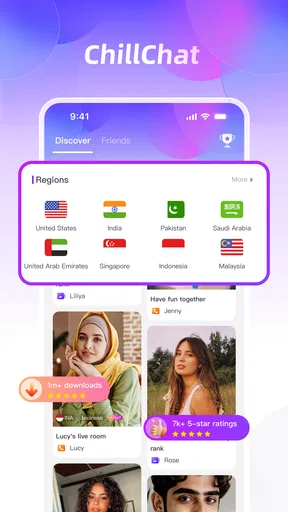
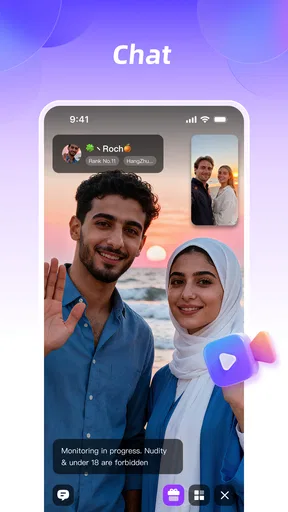
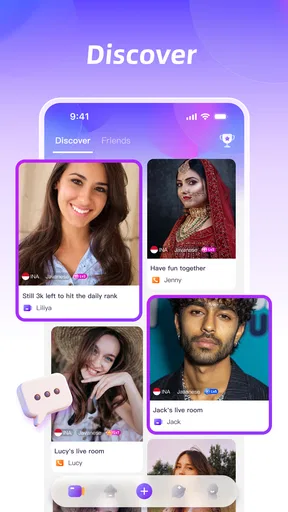
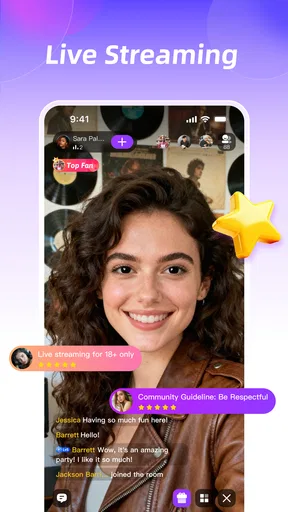
ChillChat - Live Chat & Game is a social entertainment app that combines live conversations with casual gaming features. After exploring the app, I found that its main purpose is to help users meet people, join conversations, and spend time playing interactive games in a more relaxed environment. The experience may vary depending on available rooms, active users, and regional features.
Is ChillChat - Live Chat & Game free to download and use?
The app can generally be downloaded without an upfront purchase, but some features may include optional in-app purchases, virtual items, subscriptions, or other paid extras. Before spending money, check the pricing details shown in the app store and inside the application. Availability and costs can change, so users should also review renewal terms and payment settings carefully.
Do I need to create an account to use ChillChat?
ChillChat may require an account or profile before you can access its social and gaming functions fully. Registration can involve information such as an email address, phone number, username, or a linked social account, depending on the version available in your region. You should review the privacy policy and avoid sharing sensitive personal information in public chats.
Is ChillChat safe for children and teenagers?
Because ChillChat focuses on live communication and interaction with other users, parents should check the app’s age rating and safety tools before allowing a child to use it. Live chats can include content or conversations that are difficult to predict. Use privacy controls, reporting and blocking features, and parental supervision, and never allow minors to share their location, passwords, or personal contact details.
What should I do if I experience inappropriate behavior or technical problems?
If another user sends offensive messages, behaves suspiciously, or violates the community rules, use the in-app block and report options rather than continuing the conversation. For crashes, login issues, missing purchases, or connection problems, update the app, restart your device, and check your internet connection first. If the issue continues, contact the developer through the official support channel.


